
Connect Balls - Line Puzzle -
BAF, Ltd.Puzzle
4.65.77K Reviews
- Version
- 2.5.2
- Installs
- 10.00M
- Age Rating
- Everyone
Screenshots
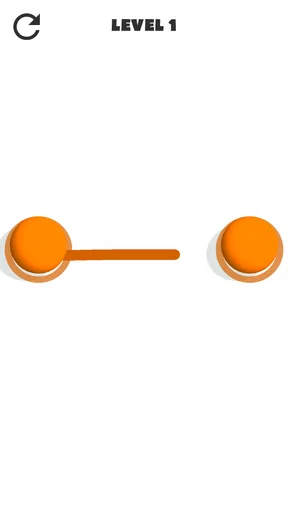
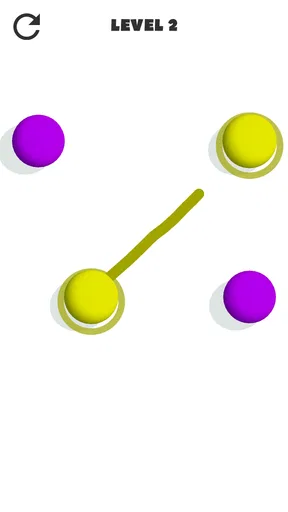
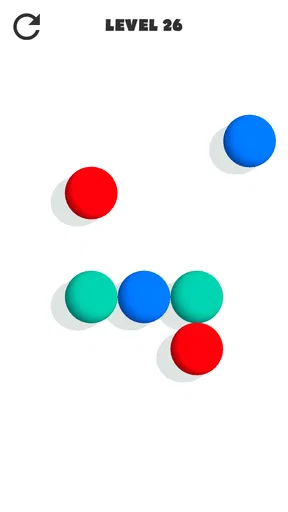
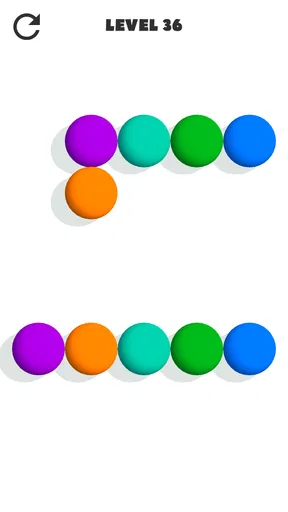
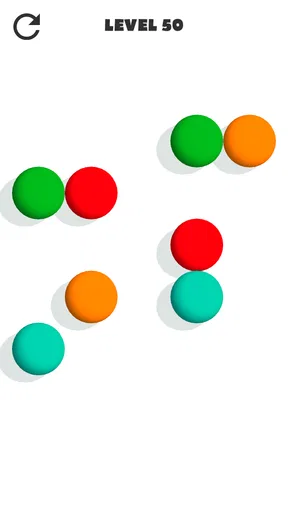



Our Review of Connect Balls - Line Puzzle -
 Analysis by Appyee
I usually reach for a puzzle game when I want something simple enough to start immediately but demanding enough to hold my attention for more than a minute. Connect Balls - Line Puzzle - fits that mood well. Its central idea is easy to understand: join matching colored balls by drawing lines, while working out how to use the available space without creating a dead end. The controls are approachable, but the decisions become less obvious once several pairs compete for the same paths.
What makes this game worth a closer look is not a complicated story or a long list of systems. It is the small amount of thinking packed into each board. I can play with one hand, stop after a short session, and return later without having to remember a plot or a complicated control scheme. At the same time, a careless line can make the rest of a puzzle awkward, so the game rewards planning rather than random tapping.
Where the puzzles usually become difficult
The first few boards are useful because they teach the basic relationship between matching balls and connecting lines without demanding much explanation. The real challenge begins when the obvious pair is not the pair that should be solved first. I often find myself wanting to connect the nearest colors immediately, only to discover that the route blocks another pair. That is the main mental trap: a move can look correct locally and still be wrong for the whole board.
My most reliable approach is to scan the edges and corners before drawing anything. A ball placed near a boundary has fewer possible routes, so it can be more urgent than a pair sitting in open space. I then look for narrow passages and imagine which lines would need to cross them. This habit is more useful than simply chasing the shortest visible connection.
Another point that can catch new players is the difference between a line that reaches its matching ball and a line that leaves enough room for everything else. In a puzzle built around paths, distance is only one part of the problem. A longer route may be the better choice if it preserves a corridor for a pair that has no alternative. I would not describe the game as difficult to learn, but it does ask for spatial awareness surprisingly quickly.
When I get stuck, I try not to keep dragging lines in the same order. Instead, I erase or rethink the last decision and start with the most constrained pair. This is a practical way to avoid turning a small mistake into a complete restart. It also makes the game feel more like a logic exercise than a test of reflexes.
The touch interaction is central to the experience. A rushed swipe can produce a route I did not intend, especially when I begin too close to the wrong ball or change direction abruptly. I get better results by placing my finger deliberately, moving at a steady pace, and checking the destination before lifting it. That sounds minor, but careful input matters when a single unintended path changes the whole board.
Why the simple rule still has depth
Many casual puzzle games depend on matching symbols or clearing pieces, but this one gives the matching task a physical shape. The lines occupy space, so every successful connection changes the choices available for the remaining balls. That makes it different from a basic color-matching game where a correct match is usually enough on its own.
It also feels less frantic than a timed puzzle. I can pause mentally between moves and consider several possibilities. For me, that makes it suitable for a quiet break, a commute, or a short evening session. Players who prefer countdowns, falling pieces, or rapid chain reactions may find the pace too calm. The game is about arranging a solution, not reacting as quickly as possible.
One useful technique is to trace a possible route with my eyes before touching the screen. I look at where the line would travel, then check whether it would divide the board in an unhelpful way. This is especially valuable when two pairs appear to need the same central area. Thinking one move ahead is often enough to prevent a frustrating sequence of corrections.
Setup checks before blaming the game
Getting started is straightforward for most compatible devices. The game is free, carries an Everyone content rating, and works on Android devices running version 7.0 or later. Those details make it accessible to people using older phones, although actual smoothness can still depend on the condition of the device and what else is running at the same time.
I would first make sure the installation has finished properly and that the game is being opened from a stable device session. If the screen feels slow or a touch seems delayed, I would close other demanding apps before assuming the puzzle itself is malfunctioning. A crowded phone can make any touch-based game feel less precise, particularly when the player is drawing rather than tapping fixed buttons.
It is also worth checking the current build if something behaves unexpectedly. The current version is 2.5.2, and keeping an app updated is a sensible first step when dealing with launch problems, visual glitches, or input that does not respond normally. I would avoid repeatedly reinstalling as a first reaction, because that can create unnecessary disruption and may affect local progress depending on how the device handles app data.
For a clean first session, I prefer to play with the phone held steadily and the display free of anything that could interfere with touch. A screen protector that is lifting, a damp fingertip, or accidental contact from the edge of the hand can all make a line appear to start or finish in the wrong place. These are simple checks, but they matter more here than they would in a turn-based game controlled by large buttons.
The game comes from BAF, Ltd. and has attracted a substantial audience: its listing shows over ten million installs, with a 4.6 average from around 428 thousand ratings. That does not guarantee that every device will behave identically, but it does suggest that the basic format has found a broad audience. I see it as a good sign for a casual puzzle, while still judging the experience by how comfortably it works on my own phone.
There are also optional in-app purchases priced at $3.99 per item. Since the game is free to start, I would play several sessions before deciding whether any purchase improves the experience for me. A player who wants a completely cost-free routine should keep that option in mind, while someone comfortable with occasional purchases may view it as a way to support continued play. I would not treat spending as part of the basic requirement for trying the puzzles.
Small habits that improve control
I get fewer accidental paths when I begin from the center of a ball rather than its edge. I also avoid making sharp turns unless the board clearly requires them. Smooth, intentional movement gives me more control and makes it easier to see whether the route is following the plan in my head.
Another helpful habit is to inspect the complete board before committing to the first connection. The temptation is to act immediately because the rule is so clear, but a few seconds of observation can reveal a pair trapped near a boundary or a central lane that several routes might need. This is one of the rare cases where slowing down makes the game feel faster, because it reduces failed attempts.
If the display is small, I find it more comfortable to use a relaxed grip and keep my finger movement compact. Stretching across the screen can make the starting point less accurate. I would also avoid playing while walking or handling the phone in a moving vehicle; the game does not demand speed, so there is little benefit in sacrificing precision.
Recovering a workflow after a bad board
When a puzzle goes wrong, my first recovery step is to identify the earliest questionable connection rather than blaming the final one. The last line is often only where the problem becomes visible. A route drawn several moves earlier may have quietly removed the only practical passage for another pair.
I usually work backward. I examine the pairs that remain, find the one with the fewest apparent options, and then reconsider the line that restricted it. If that line was flexible, I redraw it with the constrained pair in mind. This approach is faster and more educational than wiping everything immediately, because it shows why the board became unsolvable.
There is a useful distinction between a genuine dead end and a temporary visual worry. Sometimes a line looks as if it divides the board, but a narrow route remains available. I try to check the full path before restarting. On the other hand, if two unfinished pairs clearly depend on the same space, continuing to force new lines usually wastes time. Recognizing when to reset is part of playing efficiently.
For short sessions, I prefer to leave a board after a clean solution rather than stopping halfway through a messy attempt. That gives me a natural break point and avoids returning with a half-formed plan that no longer makes sense. If I do stop mid-puzzle, I take a quick mental note of the pair I intended to solve next and the area I was trying to preserve.
The game’s strongest everyday use case is exactly this kind of flexible session. Imagine waiting for an appointment with only a few quiet minutes available. I can open it, solve a board if I am in the mood, and close it without needing sound, a long setup process, or a large time commitment. The same quality works during a coffee break, although I would not choose it when I need to stay fully aware of my surroundings.
For younger players, the Everyone rating makes the concept approachable, but I would still expect the difficulty to vary from board to board. A child who enjoys drawing and visual problem-solving may take to it naturally. Someone who becomes frustrated when a solution is not immediate may need encouragement to treat failed paths as part of the puzzle rather than as a mistake in ability.
When restarting is the better choice
I do not see value in endlessly repairing a board once too many lines have become uncertain. At that point, a fresh attempt with a different order is clearer. I start with the most restricted pair, keep the center open where possible, and avoid assuming that the shortest route is automatically best.
This restart method is also useful when touch input has genuinely gone wrong. If a line begins from the wrong location because of a missed touch, trying to build around that error can make the puzzle seem harder than it is. I would correct the input problem first, then replay the board calmly rather than judging the entire game from one awkward gesture.
When the app is not the cause
Not every interruption is a puzzle-game problem. If the app closes during a session, I would first consider the phone’s available memory, battery-saving restrictions, or a general system slowdown. Closing unused apps, restarting the device, and opening the game again are sensible, low-risk steps. I would not jump straight to deleting the game, especially if other apps are also behaving poorly.
If touch response is inconsistent only in this game, cleaning the screen and testing a slower, more deliberate gesture can help separate a control issue from a broader hardware problem. If the entire display is missing touches elsewhere, the phone itself deserves attention. This distinction is important because a line-drawing puzzle exposes small touch problems that might go unnoticed in an app with larger controls.
A poor network connection is not the first thing I would investigate for the basic act of solving a board. I would begin with the device, the installation, and the touch surface. If an optional store or purchase screen behaves differently, I would handle that separately and avoid tapping repeatedly while a transaction is still processing.
Players should also remember that free does not mean every possible option is free. The listed in-app purchase price is $3.99 per item, so I would review any purchase prompt carefully before confirming it. On a shared device, that is particularly important if children might open the game. The game can be tried without paying, but optional spending should still be treated deliberately.
Storage and system updates can create confusing symptoms too. If the phone is nearly full, an update may not complete cleanly, and other apps may become unstable. I would free a little space, confirm that the operating system meets the Android 7.0 minimum, and then try again. These checks are more useful than repeatedly pressing the same puzzle controls and assuming the board is broken.
For iPhone users, the practical considerations are similar even though the stated minimum operating-system requirement is for Android. I would keep the device updated through its normal app-management tools and use the same basic troubleshooting order: close the game, reopen it, restart the phone if necessary, and check whether the problem affects other apps. I would not infer identical behavior across every model simply from the game’s broad availability.
How it compares with familiar puzzle alternatives
Compared with match-three games, this is a quieter and more deliberate experience. There are no falling pieces demanding immediate reactions in the core idea, and the satisfaction comes from finding a complete arrangement rather than building a large chain. I prefer it when I want control over the pace. I would choose a match-three game instead when I want colorful action, quick rewards, or a stronger sense of constant movement.
Compared with classic Sudoku, the thinking is more visual and spatial than numerical. I can understand the objective at a glance, and I do not need to maintain a grid of candidate numbers. Sudoku remains the better option for someone who enjoys deduction through written constraints and longer concentration. Connect Balls is easier to pick up, but its compact boards can still produce a satisfying moment when the correct route becomes clear.
It also differs from free-form drawing games because the lines are not merely creative marks. They are decisions with consequences for every remaining pair. That gives the game a useful middle ground: it is more thoughtful than casual doodling but less demanding than a large strategy puzzle with many rules to memorize.
The trade-off is variety. A focused connection mechanic can become repetitive for players who need new genres, characters, or changing objectives to stay interested. I appreciate the consistency, but I would not make it my only puzzle game. It works best as a dependable pick-up-and-play option rather than a broad, constantly changing game world.
Who should try it, and who should skip it
I would recommend it to anyone who likes visual logic, short sessions, and puzzles that reward patience over speed. It is especially suitable for players who enjoy spotting patterns, planning routes, and learning from a failed attempt. The free entry point makes it easy to test without committing to a purchase, and the Everyone rating keeps the basic concept broadly approachable.
I would be more cautious about recommending it to someone who wants a story-driven adventure, competitive rankings, or rapid action. The game’s appeal depends on enjoying the act of solving itself. If drawing a route, reconsidering it, and trying another order sounds tedious rather than satisfying, the clean simplicity may feel limiting.
It may also be a poor fit for people who need strong accessibility options or highly forgiving controls, because the experience depends on accurate touch movement. A player with a small screen, unreliable touch input, or difficulty making controlled gestures could find the central mechanic tiring. In that situation, a puzzle with larger fixed buttons or turn-based selection may be a better alternative.
The audience response is encouraging, with around 5.8 thousand written reviews alongside the much larger rating total. I take that as evidence that many players have found enough value to engage with it, but I still think the right choice depends on your preferred puzzle rhythm. Popularity cannot replace a good match between the game’s method and your habits.
My practical verdict after playing
Connect Balls - Line Puzzle - succeeds because it makes one rule do a lot of work. Matching balls are easy to understand, yet the need to preserve space creates genuine decisions. I like that I can play slowly, use a few minutes productively, and improve through better ordering rather than faster fingers.
My main advice is to inspect the whole board first, solve the most restricted pair before the obvious one, and treat the central space as something to protect. If a board collapses, revisit the earliest flexible route instead of forcing the final connection. Those habits make the game feel considerably fairer and reduce the frustration caused by impulsive gestures.
The game was released on May 21, 2022, and its current version is 2.5.2. With a 4.6 average and over ten million installs, it has clearly reached a wide casual audience. I would still keep expectations realistic: this is a focused puzzle title, not an all-purpose entertainment package. Its strength is the clean, repeatable challenge, while its weakness is that the same focused structure may not satisfy players who need constant novelty.
For me, it is a worthwhile free download when I want a calm logic break and do not want to learn a complicated system. I would try it first, keep an eye on the optional $3.99-per-item purchases, and judge it by how comfortable the line drawing feels on my particular phone. If that interaction is accurate and the spatial challenge appeals to you, this is an easy game to keep available for those small pockets of time when a simple board is more welcome than a demanding adventure.
Verdict
Strengths of Connect Balls - Line Puzzle -
- Simple drag-and-connect controls are easy to learn.
- Short levels make it suitable for quick gaming sessions.
- Colorful visuals keep the minimalist puzzles pleasant to play.
- Increasing difficulty provides a steady sense of progression.
- Works well for players who enjoy calm, casual puzzle challenges.
Limitations of Connect Balls - Line Puzzle -
- Later puzzles can feel repetitive once the core mechanic is mastered.
- Some levels may require trial and error rather than clear planning.
- Limited gameplay variety may reduce long-term replay value.
- Hints or extra moves may be restricted or tied to in-app purchases.
- Small board elements can be difficult to distinguish on compact screens.
Similar Picks in This Category
View All
Block Blast!
HungryStudio4.8

Braindom: Brain Games Test
Lahana Game Studio4.6

AMAZE!
CrazyLabs LTD4.6

Sudoku - Classic Sudoku Puzzle
Oakever Games4.7

Art Puzzle - Puzzle Games
Easybrain4.8

Amaze GO!
Oakever Games4.9
Frequently Asked Questions
What is Connect Balls - Line Puzzle and how is it played?
Connect Balls - Line Puzzle is a casual logic game based on linking matching colored balls. Your goal is to draw lines between pairs of the same color while filling the board without crossing other paths or leaving spaces uncovered. The early levels are simple and useful for learning the mechanics, but later puzzles require more planning, careful routing, and attention to the limited space available.
Is Connect Balls - Line Puzzle suitable for children and beginners?
Yes, the game is generally easy to understand because it uses straightforward touch controls and does not require previous puzzle-game experience. Beginners can start with the introductory stages and gradually become familiar with planning routes. However, some later boards may be challenging for younger players, so children may occasionally need help when paths become crowded or several color pairs must be connected at once.
Does Connect Balls - Line Puzzle work without an internet connection?
The core puzzle experience can usually be enjoyed offline, which makes Connect Balls - Line Puzzle convenient for travel, waiting rooms, or areas with weak connectivity. Nevertheless, certain features may depend on an internet connection, including advertisements, promotional content, updates, analytics, or possible online services. It is best to launch the game once while connected so that its available levels and resources load correctly.
Are there advertisements, in-app purchases, or paid features?
Connect Balls - Line Puzzle may include advertising as part of its free-to-download model, and ads can sometimes appear between levels or after using optional assistance. Depending on the version and platform, the game may also offer purchases related to removing advertisements, obtaining hints, or accessing additional content. Review the store listing and purchase settings before downloading, especially if the app will be used by children.
What should I do if I get stuck on a puzzle?
If a level becomes difficult, begin by identifying the pairs that have the fewest possible routes, then plan those connections before drawing the easier lines. Avoid committing to a path too quickly, because one blocked space can make the remaining pairs impossible to complete. If the game provides hints, use them sparingly. You can also restart the board and try a different order rather than repeatedly adjusting one unsuccessful route.
Play our best games!


